
Rebulk Transload
Run your entire transload operation from one system.
Rebulk Transload is the flagship terminal operating system of the Rebulk Platform. Connect railcars, trucks, inventory, documents, customers, demurrage, and billing on one operating record.
Trusted by
 (opens in new tab)
“Before Rebulk, we were spending too much time chasing information and then manually inputting it. Now we can see what is happening across the operation much faster.”
Frank Venezia, Director of Operations, Venezia Transport
Read the Venezia storyLive Yard Visibility
See every railcar on site in real time
Track every car by customer, weight, and BOL, from the moment it arrives on your yard.
Terminal operations should not run on spreadsheets and PDFs
Most transload teams manage railcars, customer inventory, waybills, scale tickets, and outbound paperwork across disconnected systems: spreadsheets, emails, PDFs, and whiteboards.
Rebulk Transload puts the whole terminal on one operating record: what is on site, what moved, what needs paperwork, and what needs to be billed. The work your crew does on the ground becomes the record billing runs on, with nothing falling between the two.
And because no two terminals run alike, we set Rebulk up around yours: your tracks, your commodities, your billing terms, and the reports your customers expect. Not the other way around.
One Operating Record
Everything your terminal needs, from operations to billing
Railcars, trucks, documents, inventory, demurrage, and customer reporting on one operating record. Activity, paperwork, and billing never drift apart.
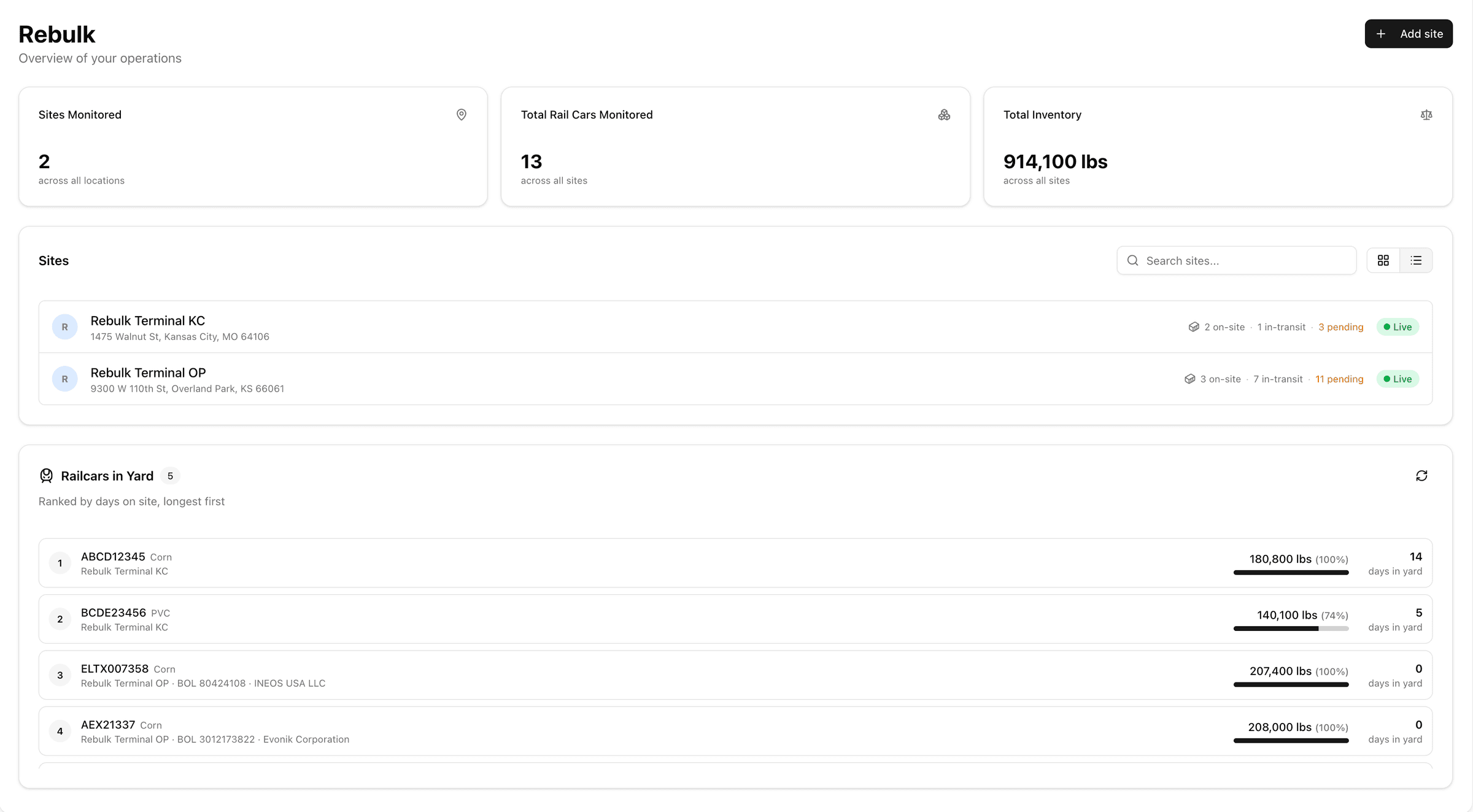
Railcar Management
Every railcar, from arrival to departure
Track railcars by customer, commodity, status, arrival, release, location, and departure across every track and spot in your yard.
Dwell is tracked per car from the moment it arrives, so nothing sits unnoticed and nothing leaves undocumented.
- Arrivals & departures
- Car numbers
- Commodity & customer
- Track & spot
- Status
- Dwell
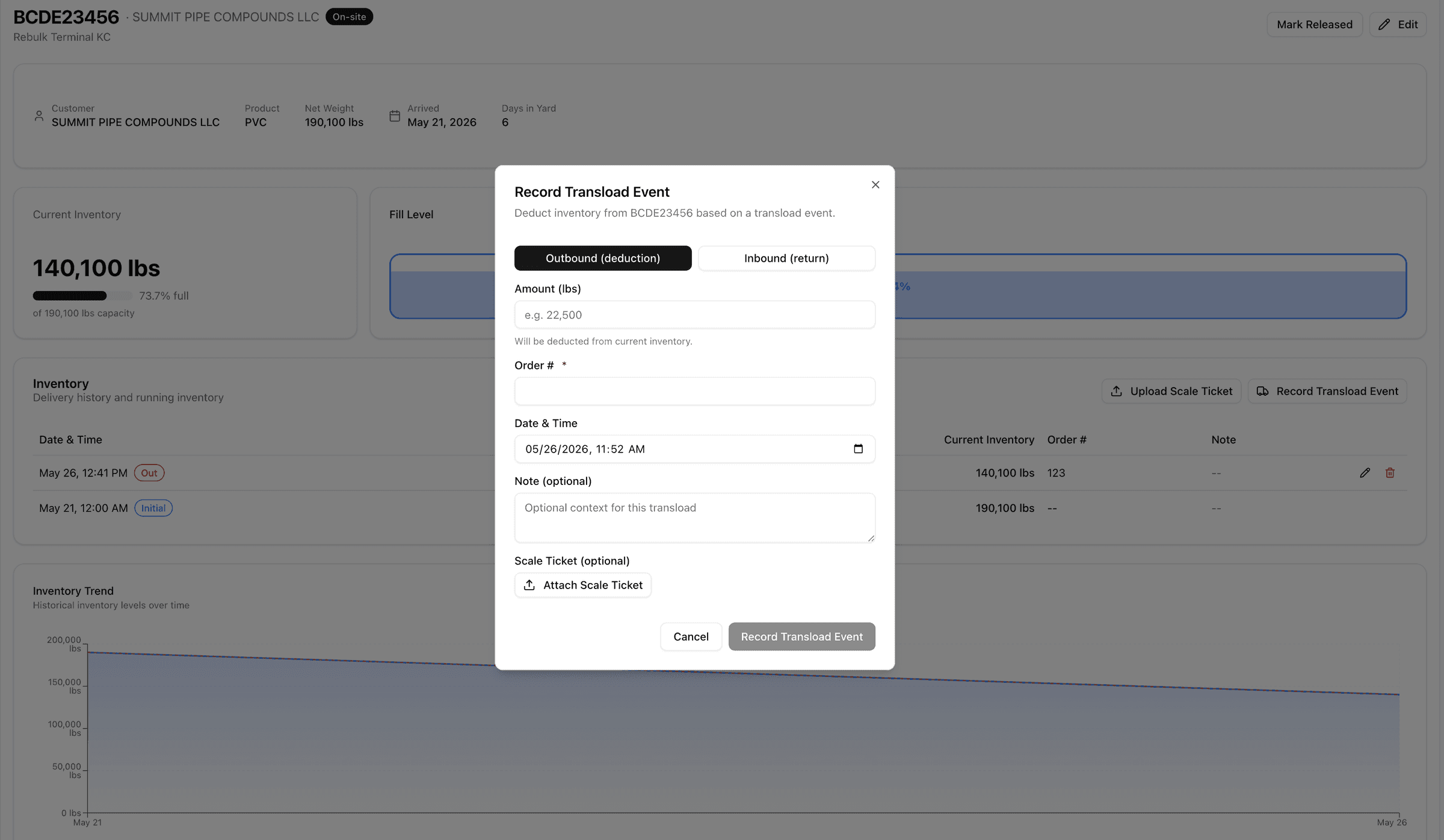
Truck Workflows
The truck side of the terminal, in the same system
Rail work is only half the transload. Run every truck through the same operating record, from the schedule to the completed shipment.
Weights and tickets post to inventory and outbound shipments the moment the truck crosses the scale.
Step 1
Scheduling
Plan inbound and outbound trucks against the work on the ground.
Step 2
Check-in
Log the truck against the right customer, commodity, and shipment.
Step 3
Loading & unloading
Record transfers between railcar, storage, and trailer as they happen.
Step 4
Scale tickets
Weights attach to the movement and the shipment automatically.
Step 5
Shipment completion
The finished load closes out with its documents and billing already in place.
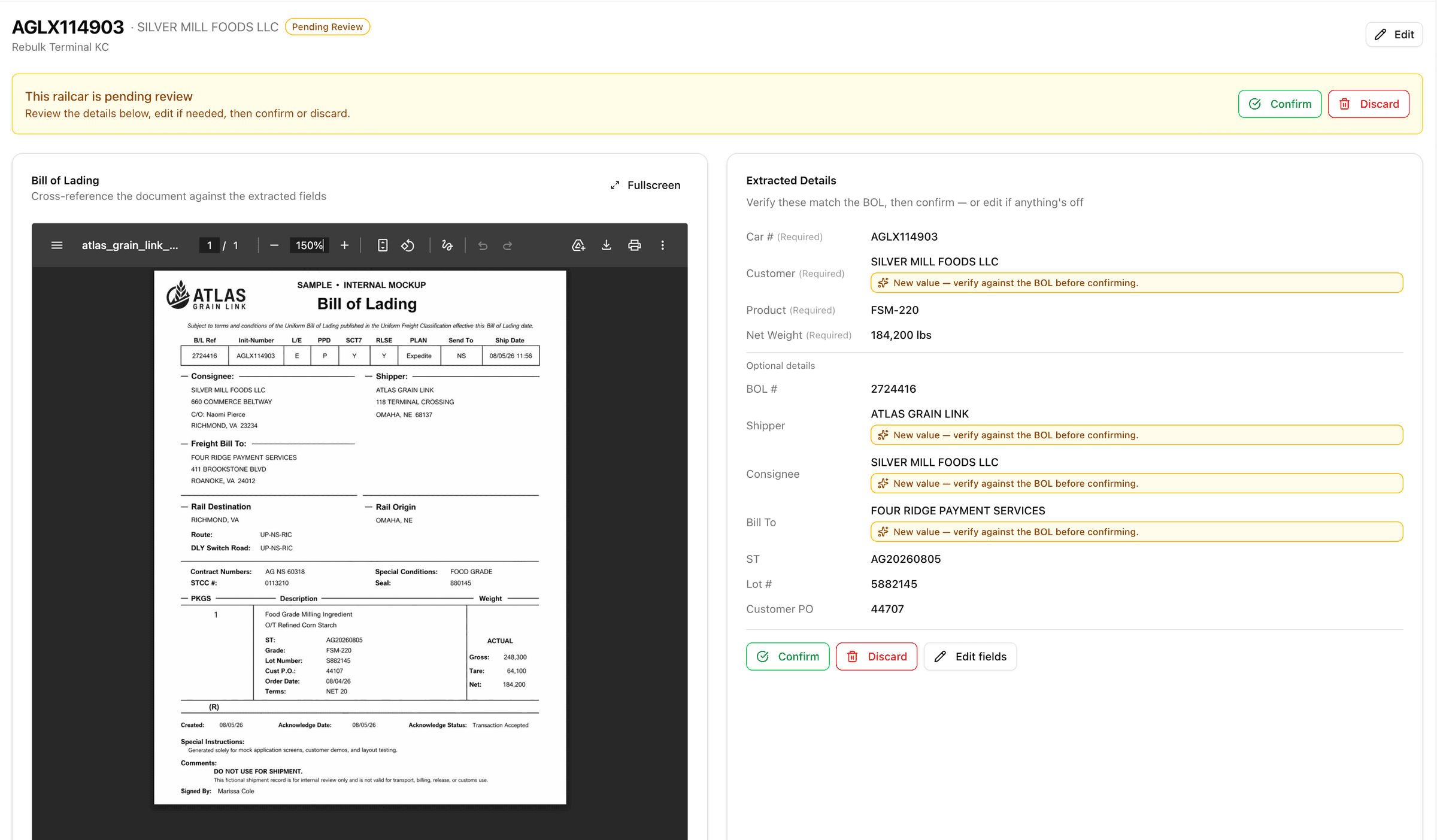
Documents
Paperwork that files itself
Every bill of lading and waybill lands on the right railcar and inventory record on its own. Built-in OCR document scanning reads the paperwork and handles the data entry, not your team.
Bills of lading, waybills, scale tickets, and shipment records live on the car and the shipment they belong to, not in a filing cabinet.
- Bills of lading
- Waybills
- Scale tickets
- Shipment records
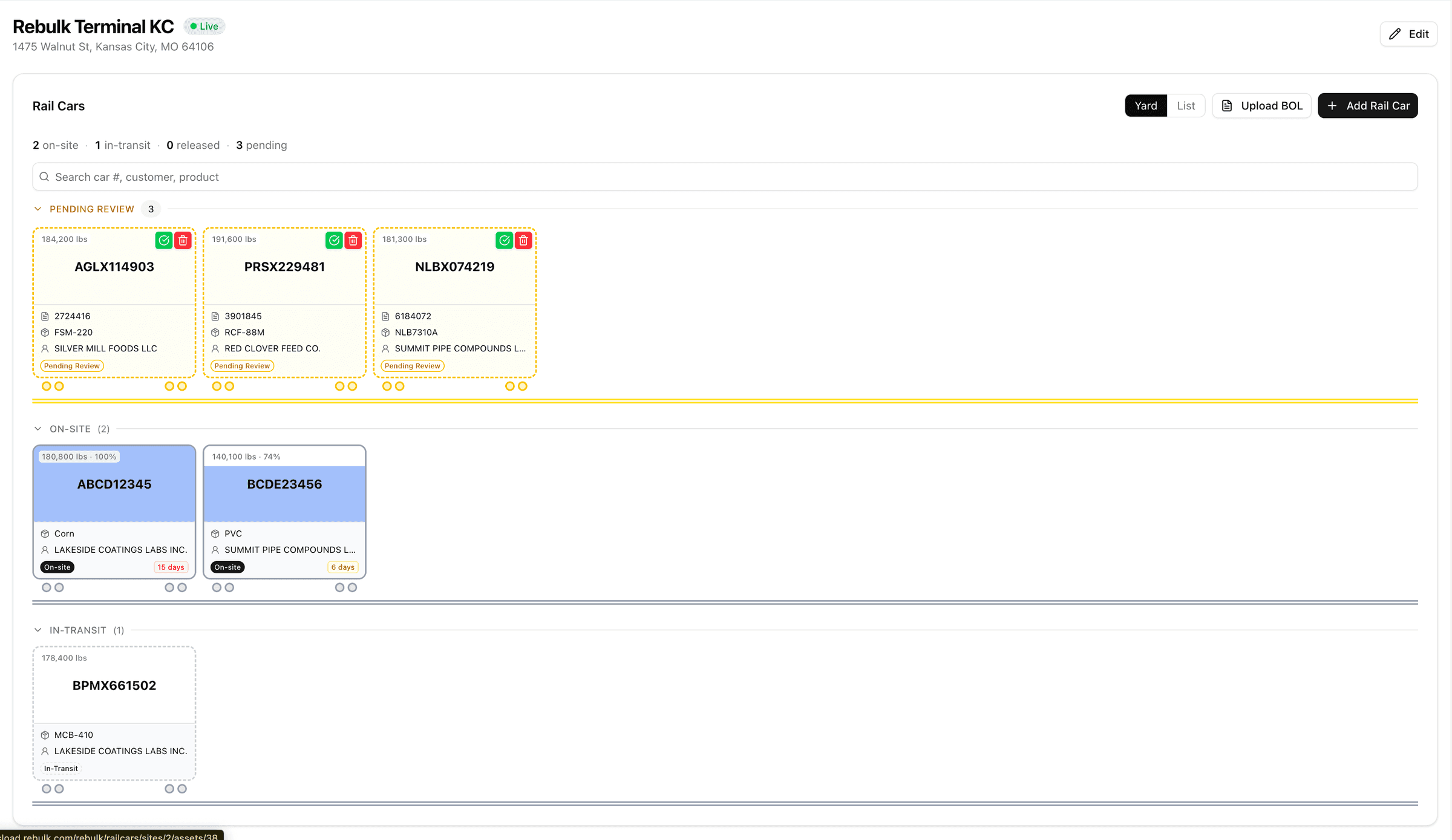
Inventory
Know what is on site and who owns it
Know what inventory is on site, who owns it, where it is located, and how it moves through your terminal.
Every movement stays connected to the railcar it came from, the customer who owns it, the commodity, and the location it sits in.
- By railcar
- By customer
- By commodity
- By location
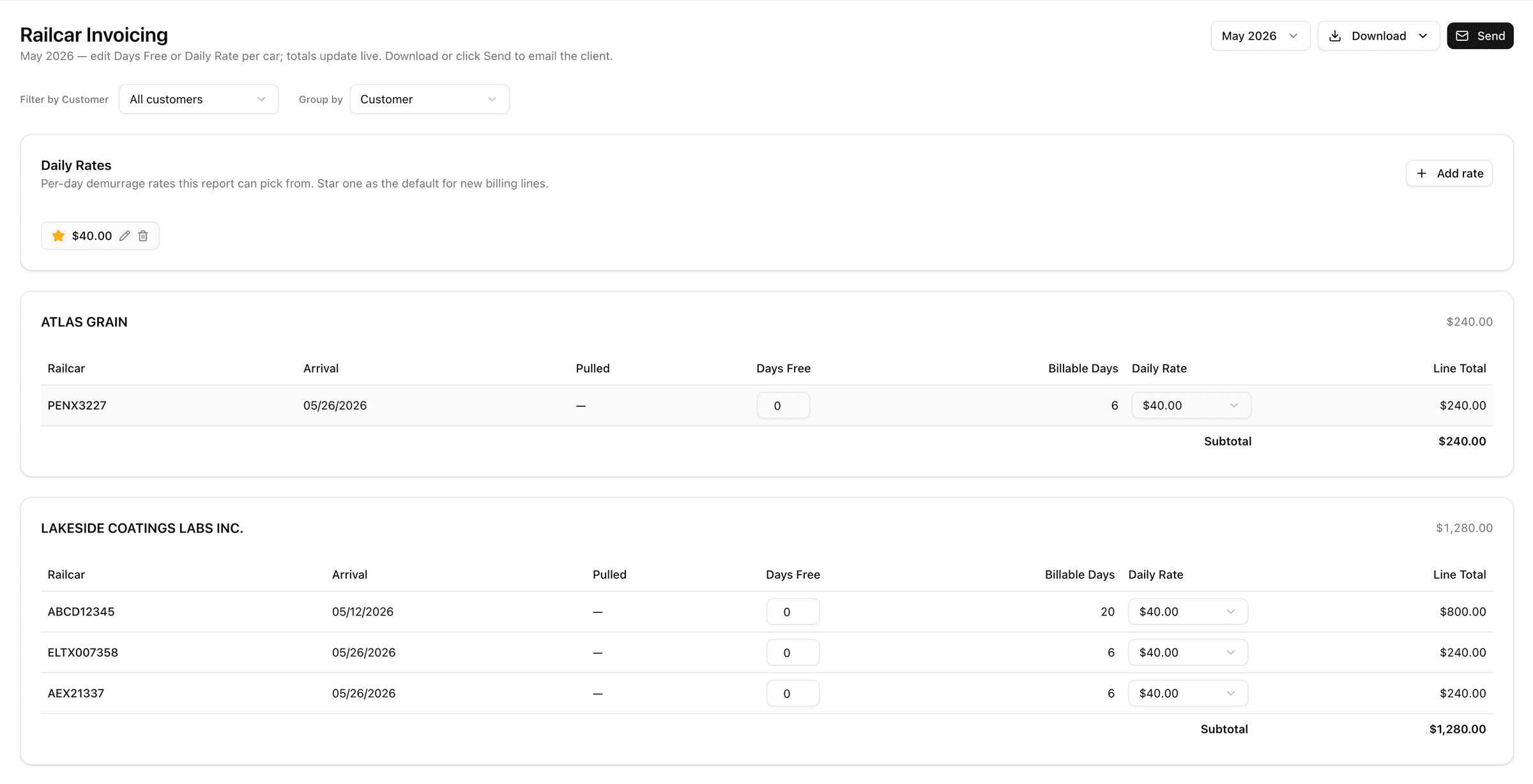
Demurrage
Demurrage tracked per car, as it accrues
Dwell time, railcar status, and release dates tracked per car as charges accrue, so demurrage billing is clear, current, and defensible.
Stored cars accrue storage days automatically: arrival, release, and dwell per car, per customer, backed by timestamped records.
- Per-car dwell clocks
- Arrival & release dates
- Automatic storage days
- Timestamped documentation
Customer Visibility
Customers get answers without calling
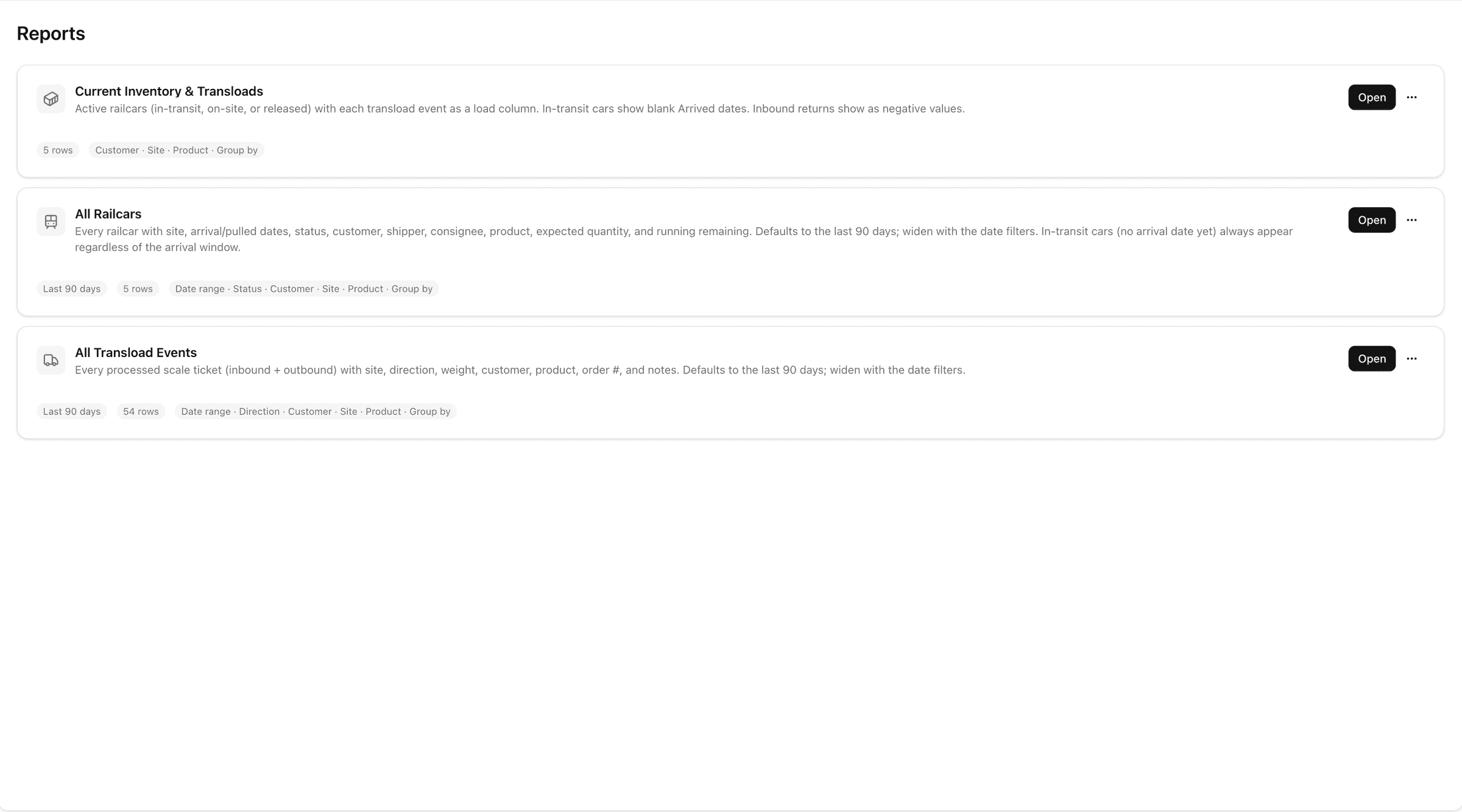
Each customer sees the operational information relevant to them: clean, real-time views of their inventory, shipments, documents, and terminal activity.
Custom reports go out on your schedule, built from the same record your crew works in.
- Inventory
- Shipments
- Documents
- Terminal activity
Billing
Turn terminal activity into billing-ready records
Every movement, document, storage day, and demurrage charge is already a line item by the time you invoice. Month-end means review and send, not rebuild.
Step 1
Inbound paperwork files itself
Drop in waybills, BOLs, and shipment records: railcar numbers, products, weights, and customers are extracted and tied to inbound activity automatically.
Step 2
Track railcars and inventory
See what is on site in real time, where it is located, who owns it, and what stage of the transload cycle it is in.
Step 3
Record movements
Connect truck transfers, scale tickets, and outbound activity to the right shipment and inventory record.
Step 4
Bill from the record
Customer reports, outbound BOLs, and billing line items come straight from work already recorded. Nothing gets rebuilt at month-end.
See this billing flow on your own terminal's work
Bring one customer's cars and we'll walk the record from arrival to invoice.
Use Cases
Built for rail-served bulk operations
Designed for transload terminal operators, rail-served warehouses, 3PLs with rail activity, and dry and liquid bulk terminals, then configured around the way each one runs.
Integrations
The operational core of the Rebulk Platform
Rebulk Transload runs on its own, or connected to the rest of the platform: every product reads and writes the same operating record.
Customer Proof
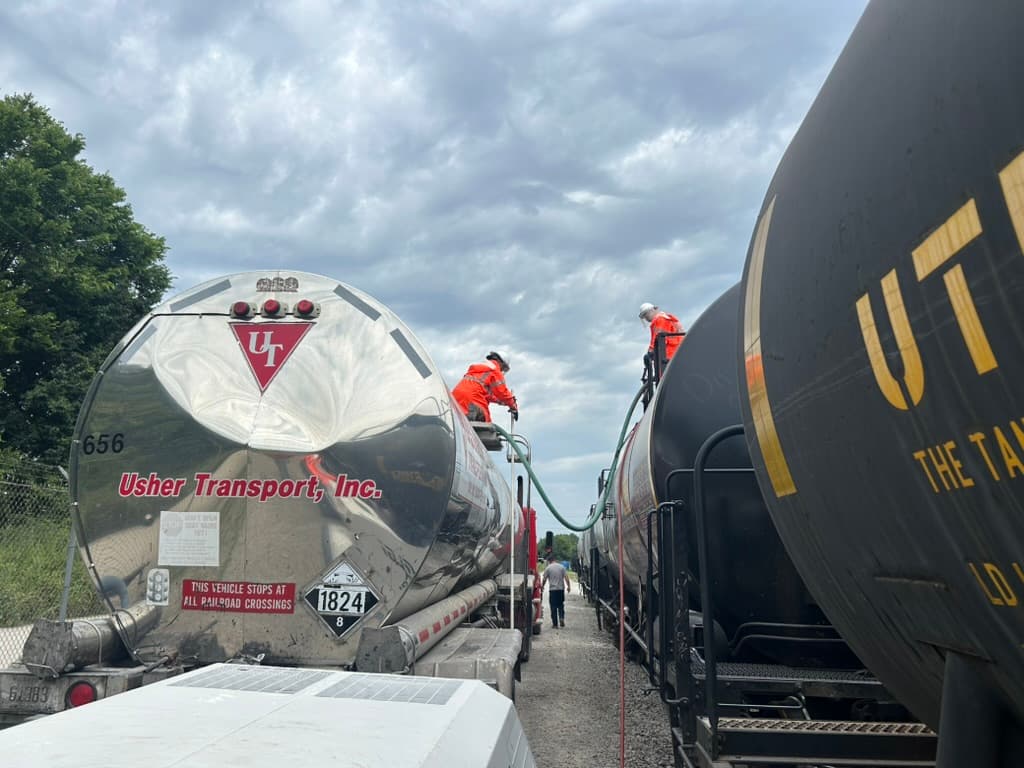
Usher Transport runs rail and transload on Rebulk
Family-owned since 1946, with 200+ professional drivers, 400+ trailers, and one of the most decorated safety records in tank trucking, Usher wanted the same discipline for its rail and transload operation: every railcar, transfer, and document accounted for, in one system.
Read the Usher Transport story“Rebulk gives us hours back every single week. What used to take phone calls and stacks of paper now takes seconds.”
See Rebulk Transload on your terminal workflow
One terminal or a multi-site network: railcars, trucks, inventory, documents, demurrage, and billing in one place. Walk us through how a car moves through your terminal today, and we'll show you Rebulk configured around it.
Focused on car visibility and demurrage defense? See Rebulk Track & Trace. Shipping, not operating? Browse the free US transload facility directory. Handle packaged goods too? See bulk vs break bulk. New to the term? See what is transloading.